Have your code on a git repo? → Deploy a web app from a git repo
Have a static website (HTML/CSS/JS) instead? → Deploy a website from your computer
A web app is code that runs on the server and answers requests — a Node.js API, a Python Flask app, a Go HTTP server, etc. For a folder of plain HTML/CSS/JS, see the static-site article above.
1. Open the Actions menu
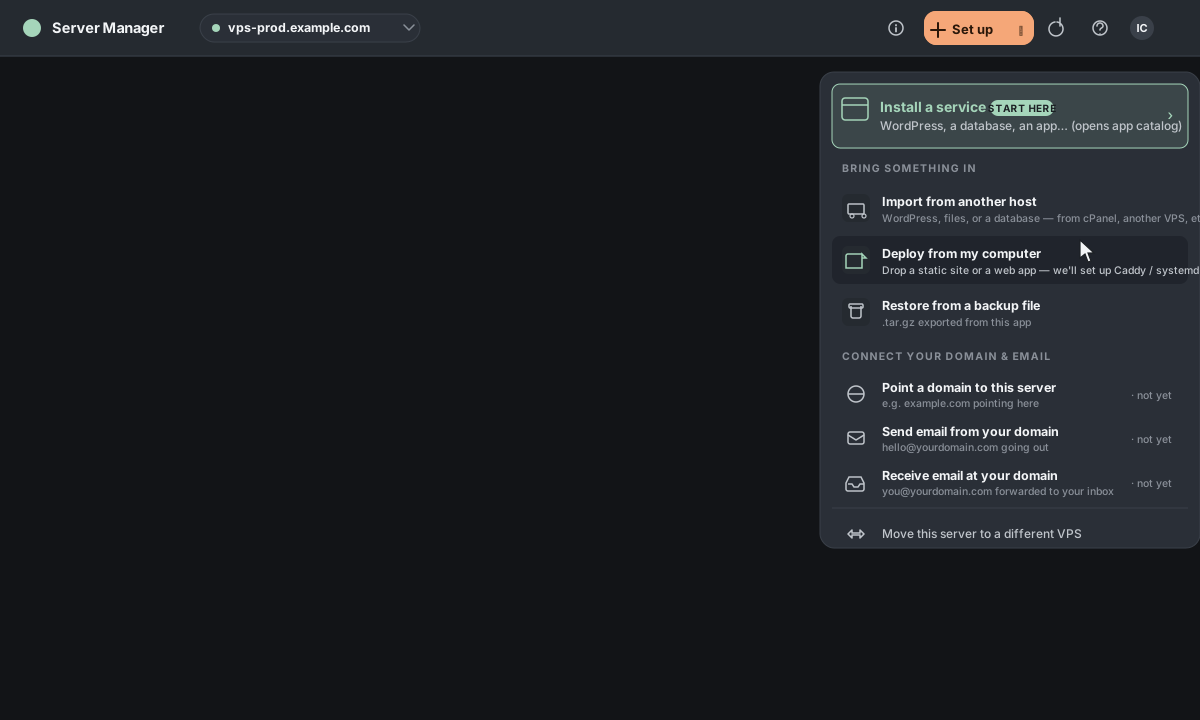
In the top bar, click Actions. In the palette that opens, choose Deploy from my computer (under "Bring something in") — or just type "deploy" in the search box.
2. Pick "Web app"
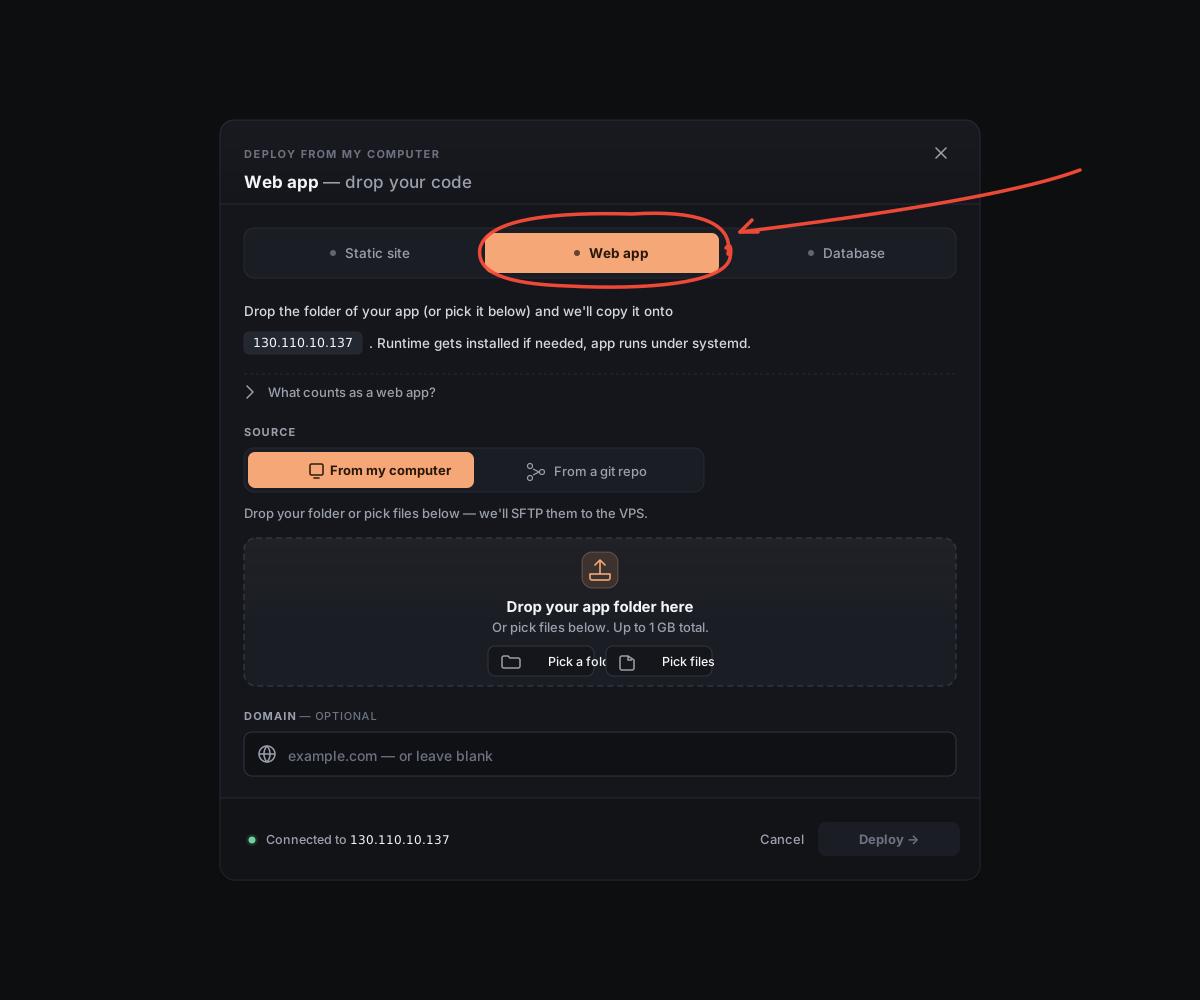
A new window opens. Click the Web app tab.
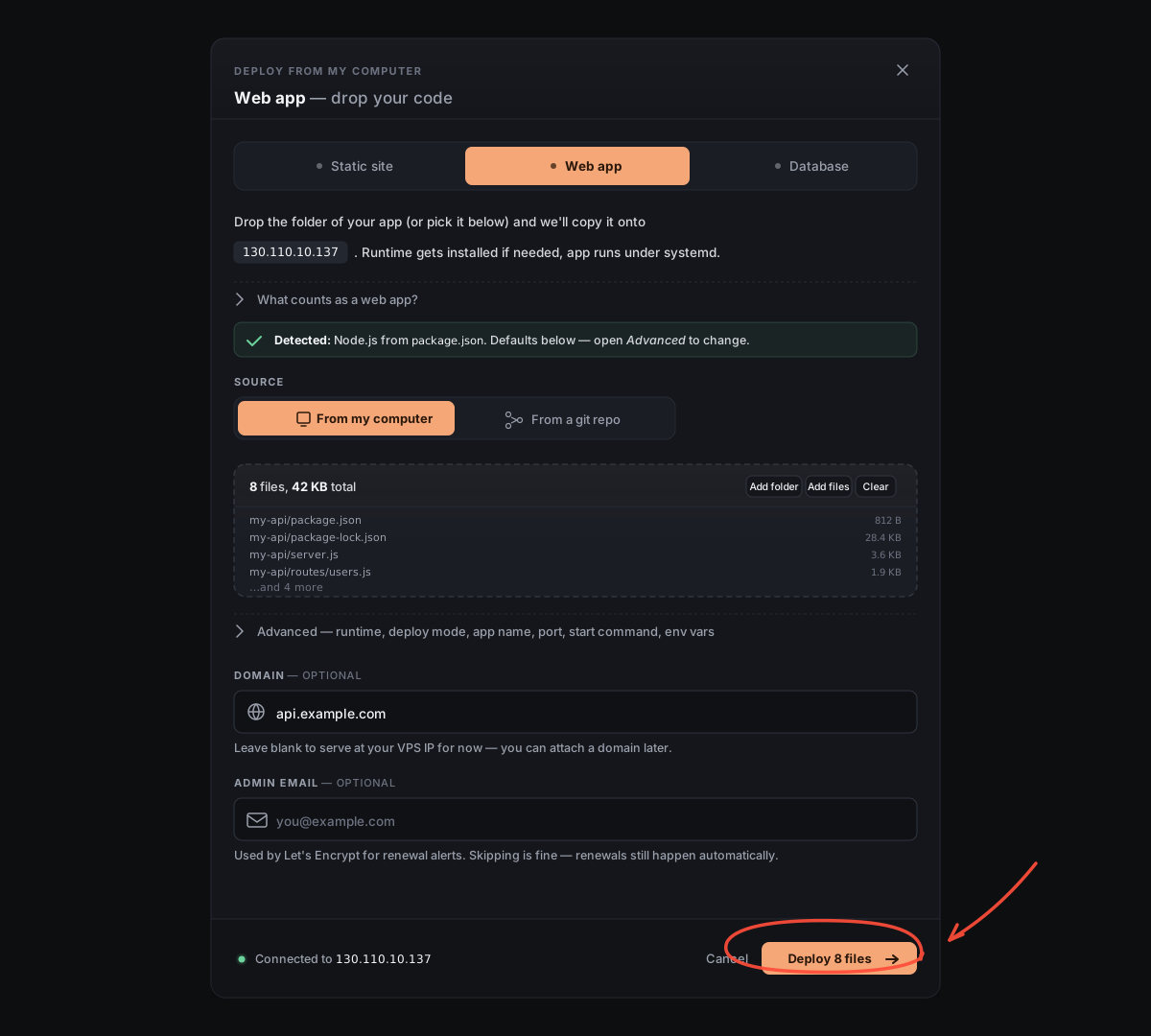
3. Drop your project folder
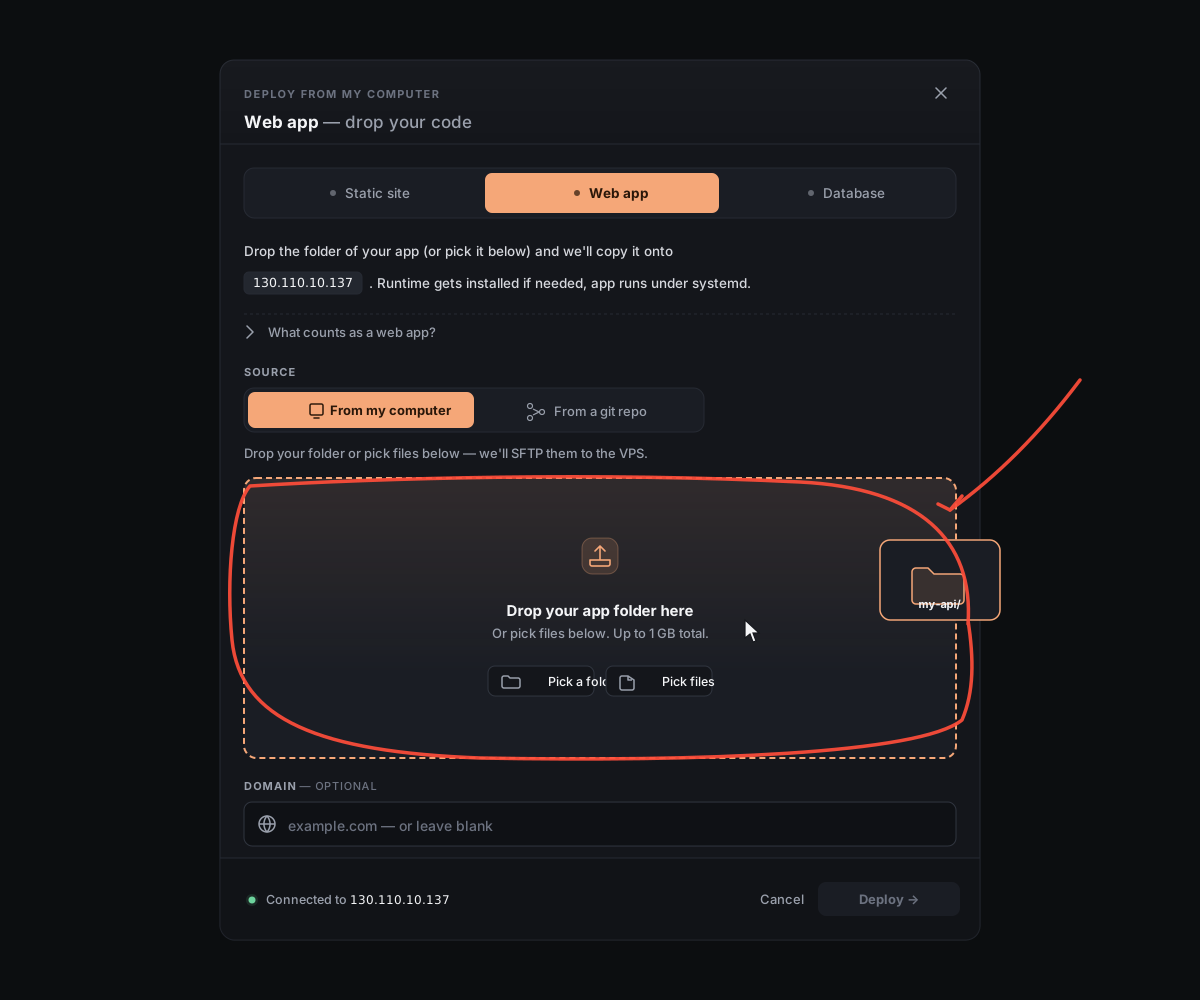
Drag the folder that contains your app's source code into the dashed box. We detect the runtime (Node, Python, or Go) from files like package.json, requirements.txt, or go.mod.
4. Type your domain
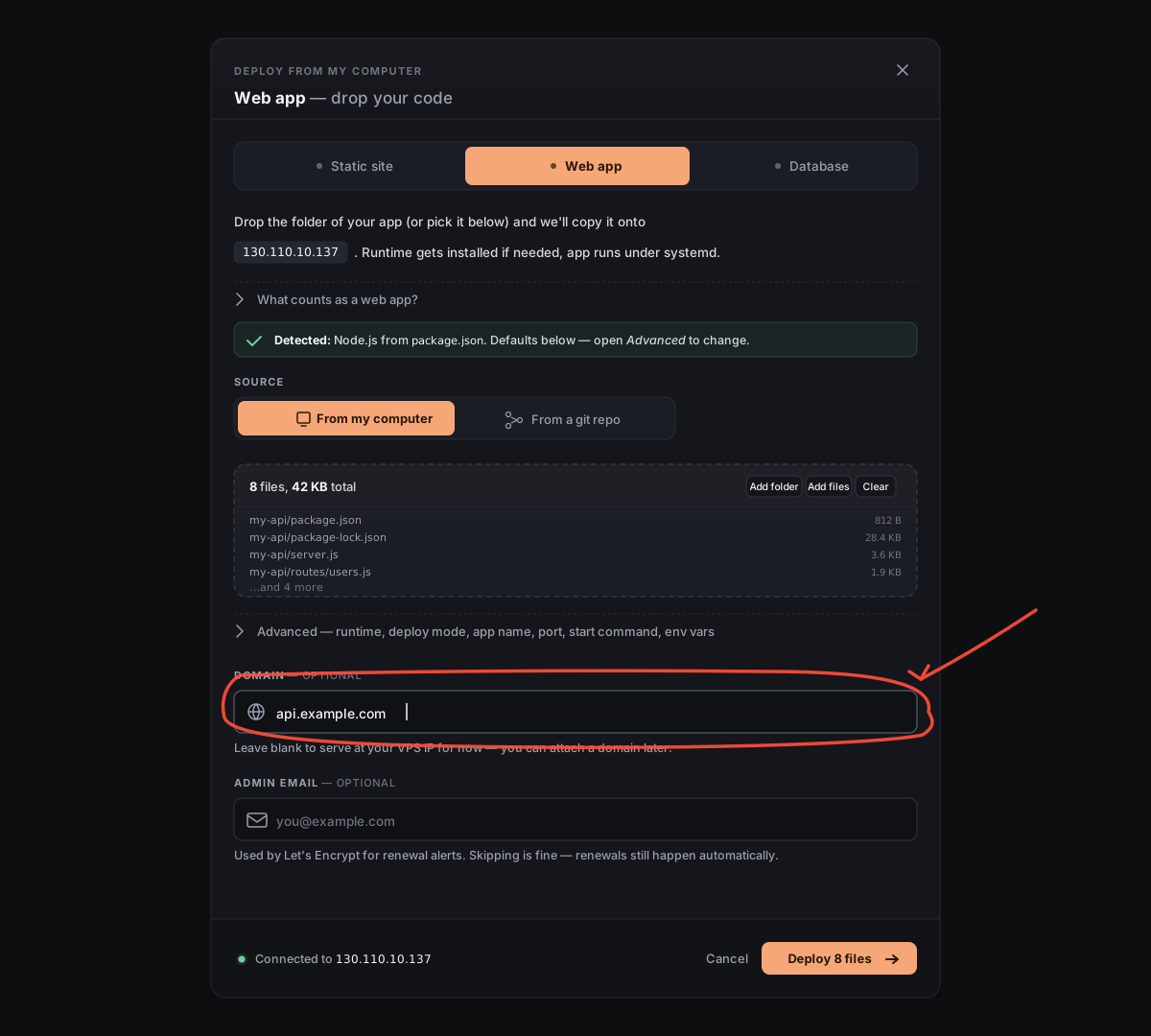
Type the address you want the app to live at — for example, api.example.com. You can leave it blank for now and add a domain later.
5. Click Deploy
The button at the bottom shows how many files will be uploaded. Click it.
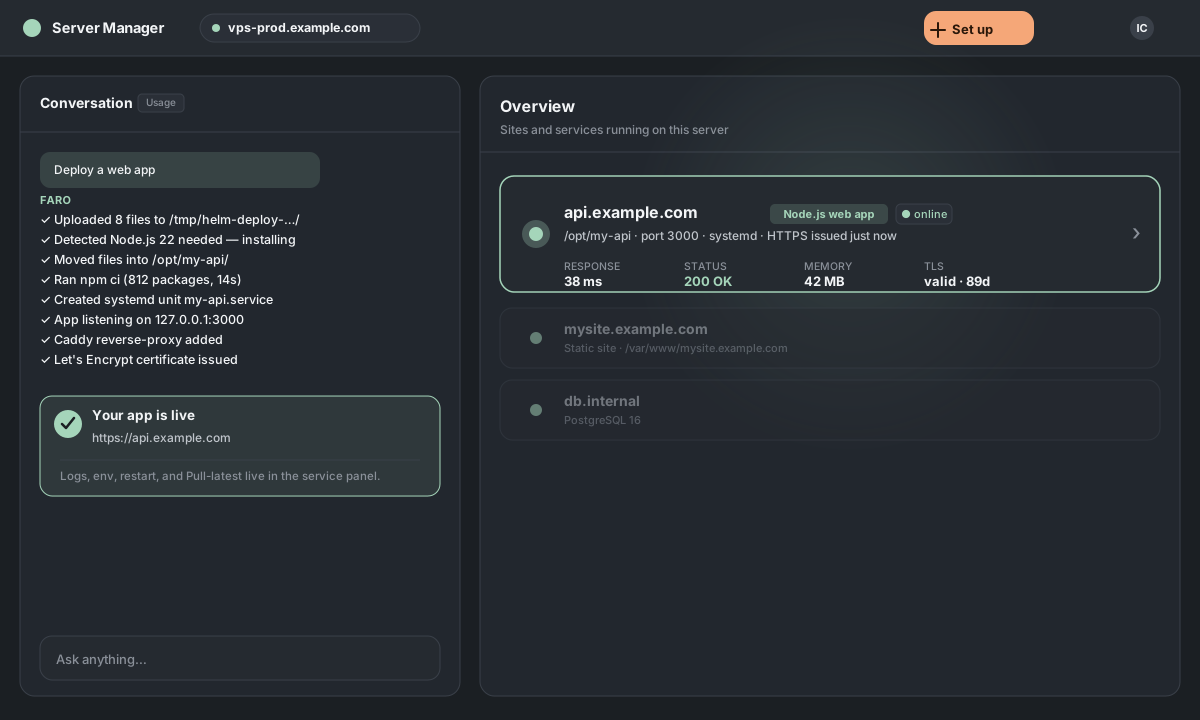
6. Done
The window closes and the chat takes over. You'll see each step as it happens: we install the runtime if needed, start your app under , and point at it as a . When it finishes, your app appears on the home screen with a green dot and the runtime it's using.
Want to fine-tune things first?
Before clicking Deploy, expand the Advanced section in the window. Every field below is pre-filled from what we detected — override any of them.
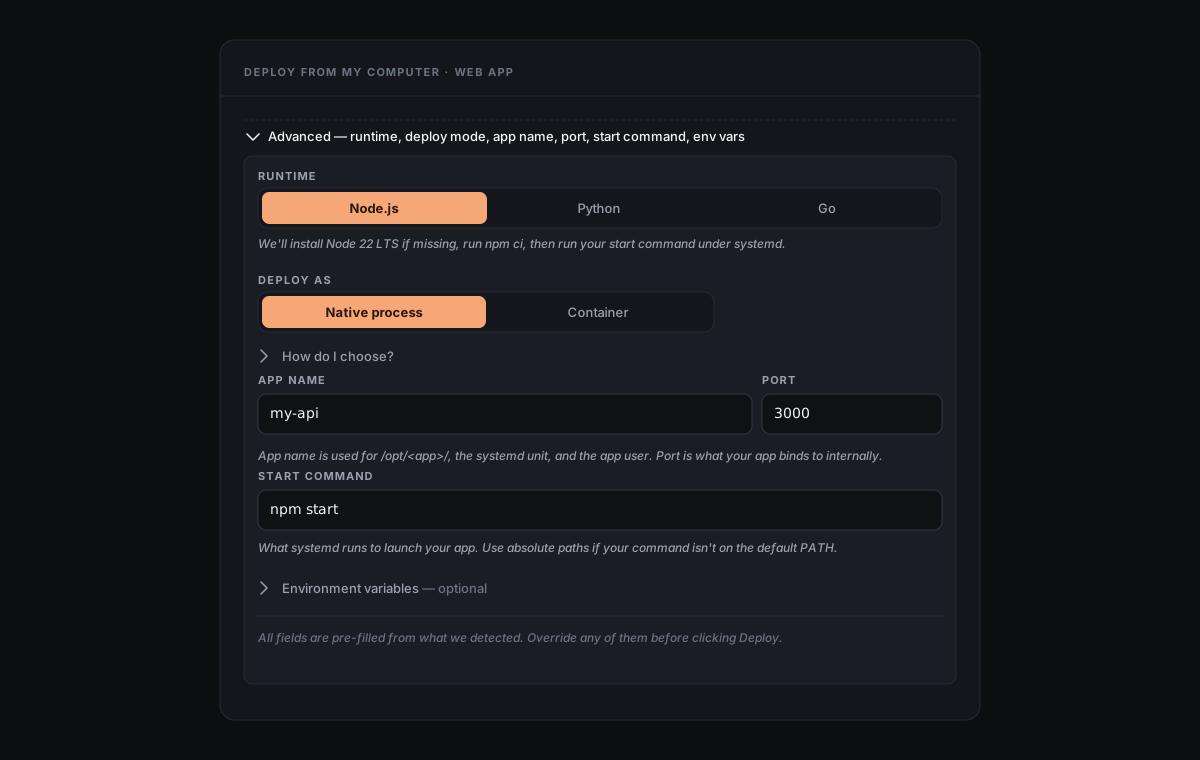
Runtime. We pick Node, Python, or Go automatically from your project files. Override it here if our detection got it wrong (or you want a specific one).
Deploy as. Native process runs your app directly on the host under — the fastest option, lowest overhead, but every Native app on this server shares the same runtime version. Container runs your app inside Docker, so it pins its own runtime version (e.g., Node 18 alongside Node 22) at the cost of about 30–100 MB extra RAM. Full breakdown in Native vs Container.
App name, port, start command. The app name becomes the folder under /opt/, the unit name, and the dedicated app user. The port is what your app listens on internally — reverse-proxies your domain to it. The start command is what runs to launch the app (npm start for Node, python app.py for Python, ./server for Go by default).
Environment variables. Expand the Environment variables disclosure to add lines like DATABASE_URL=… or API_KEY=… — one KEY=VALUE per line. They're stored in /etc/<app>/env (root-owned, mode 600) and loaded by at launch. Don't commit these to your git repo.