Don't have a git repo? → Deploy a web app from your computer
If your web app lives in a public git repo (GitHub, GitLab, Bitbucket, Codeberg, Gitea — any HTTPS git host), Server Manager can clone it directly onto your server. We detect the runtime (Node, Python, or Go) after the clone and install whatever it needs. Updates later are a one-click Pull latest from git.
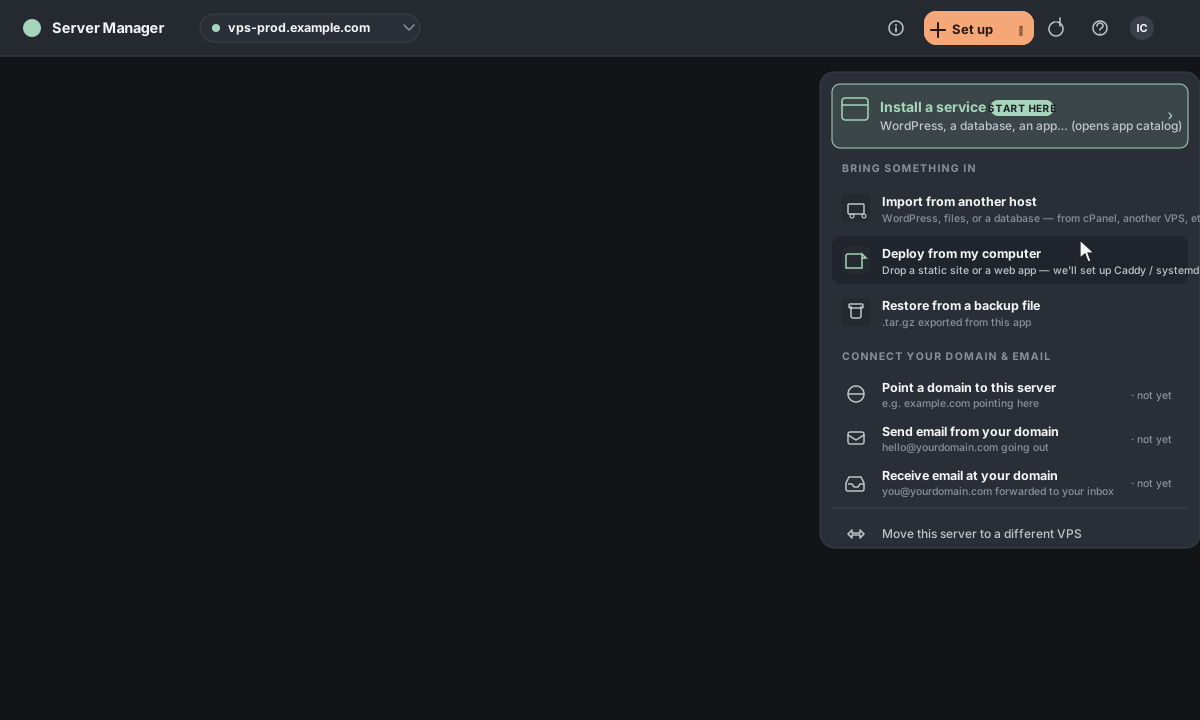
1. Open the Actions menu
In the top bar, click Actions. In the palette that opens, choose Deploy from my computer (under "Bring something in") — or just type "deploy" in the search box.
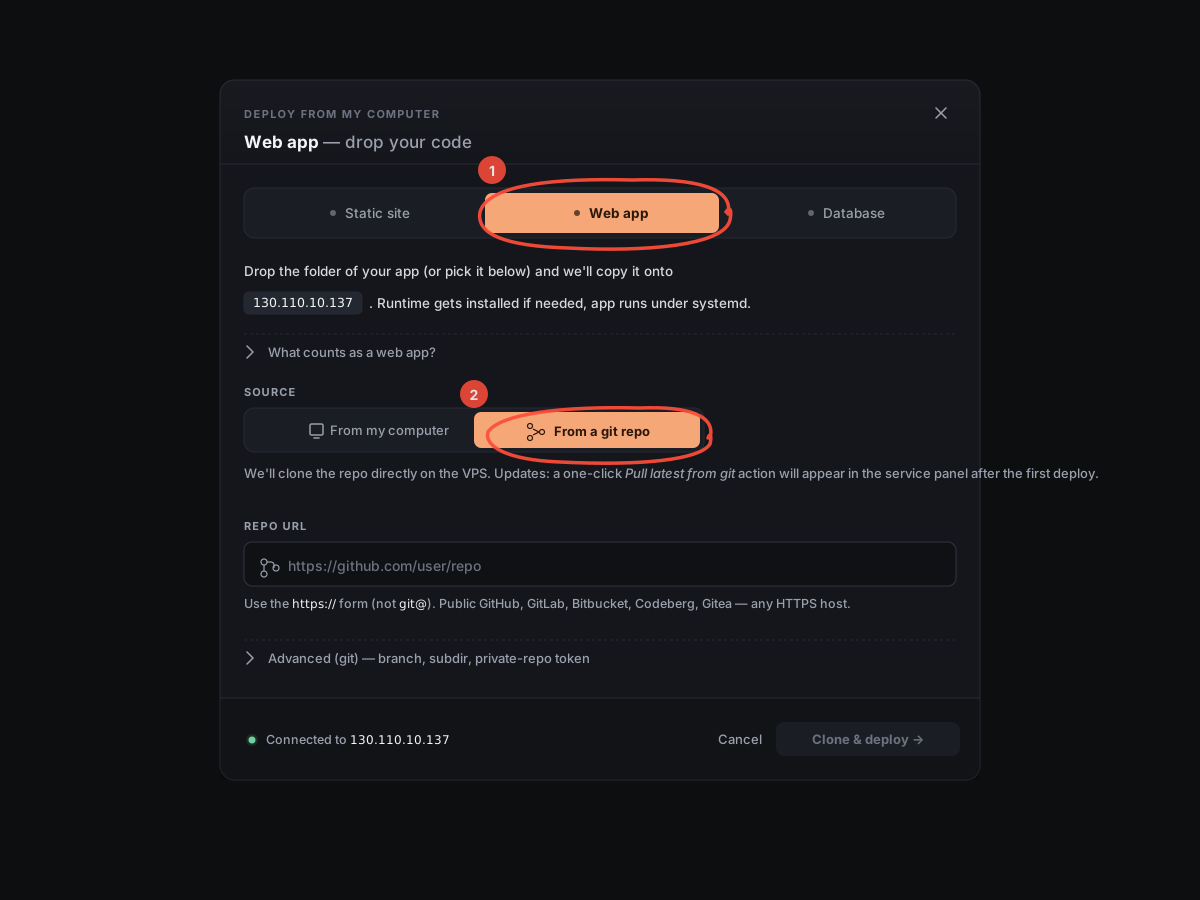
2. Pick "Web app" and switch the Source
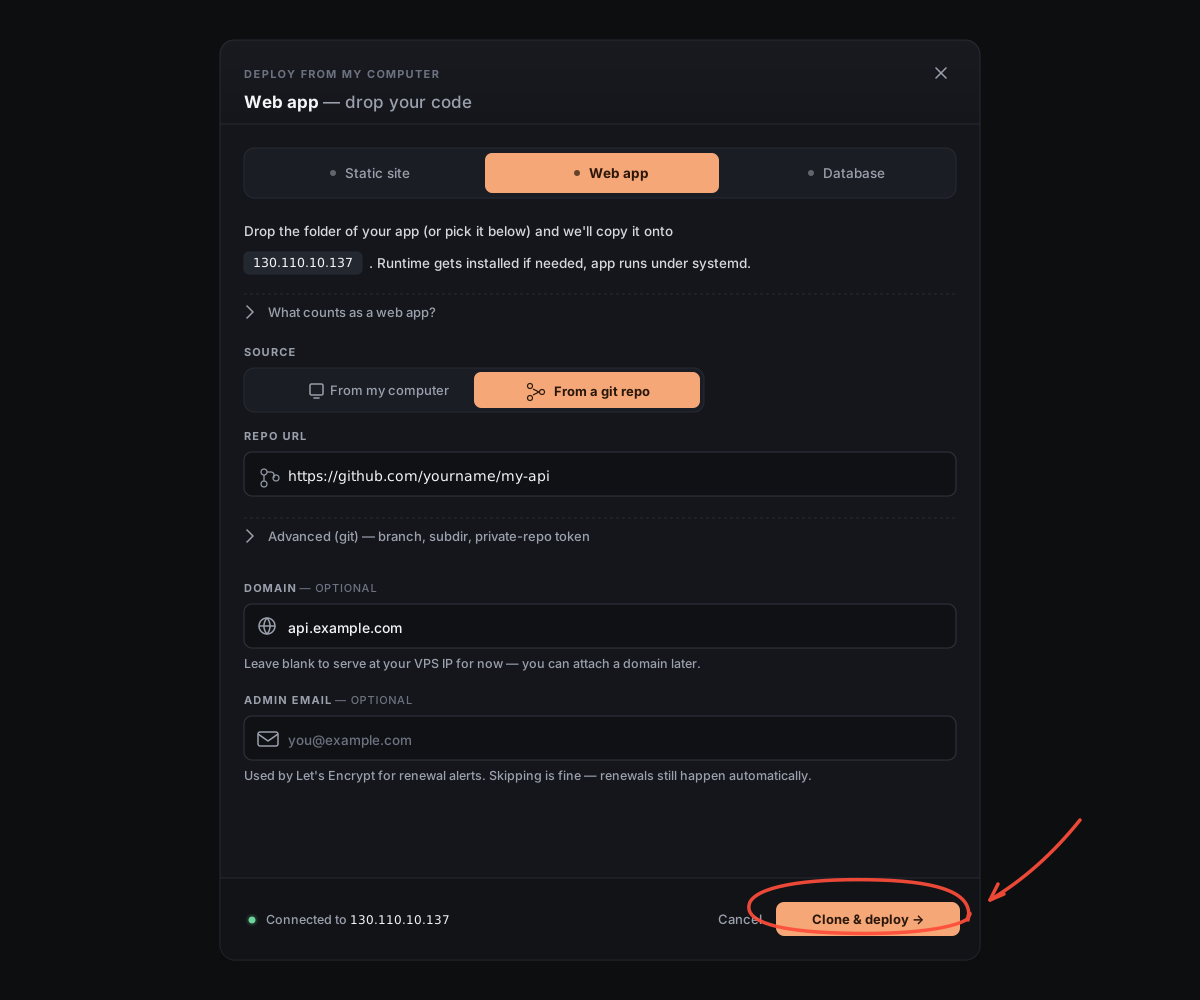
A new window opens. Click the Web app tab. Then, under Source, click From a git repo.
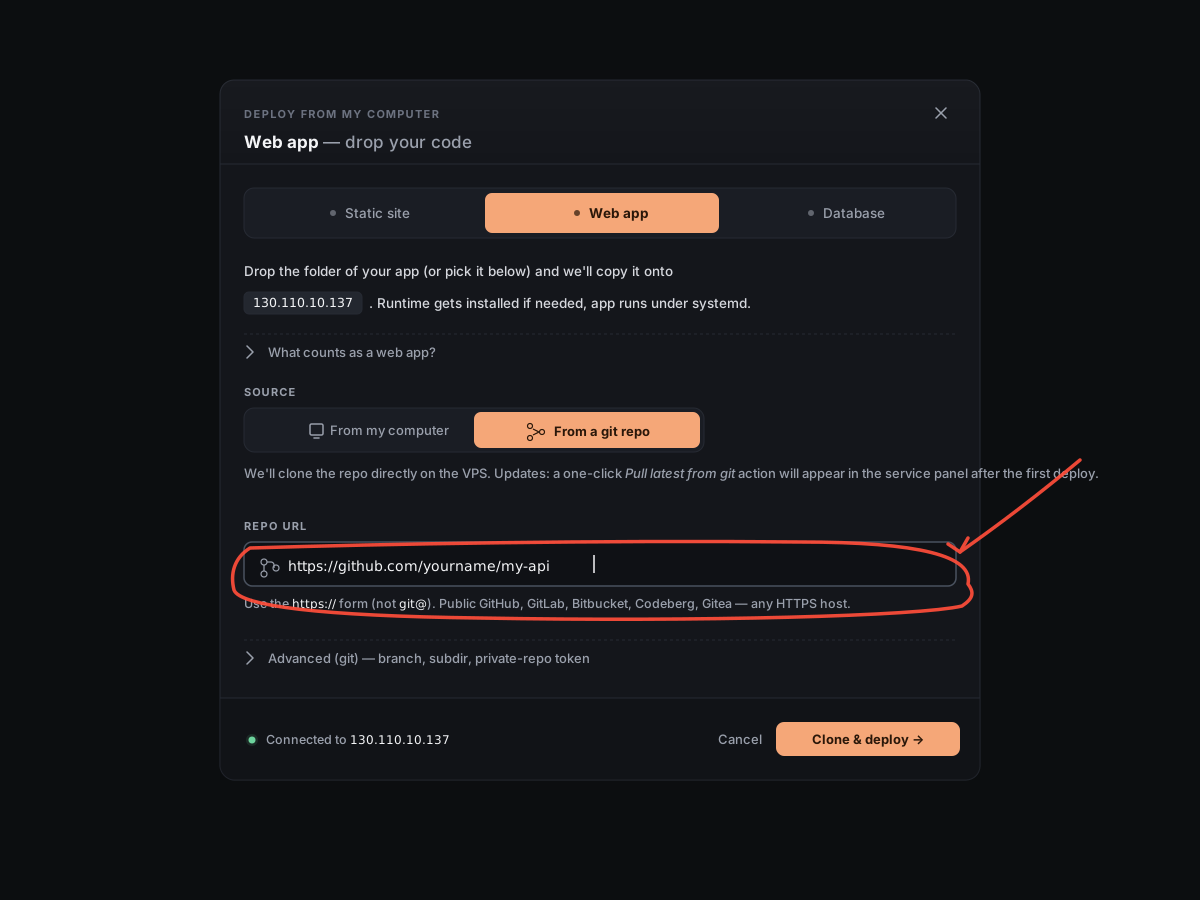
3. Paste your repo URL
Paste the https:// URL of your repo — for example, https://github.com/yourname/my-api. Use the HTTPS form, not the git@ SSH form.
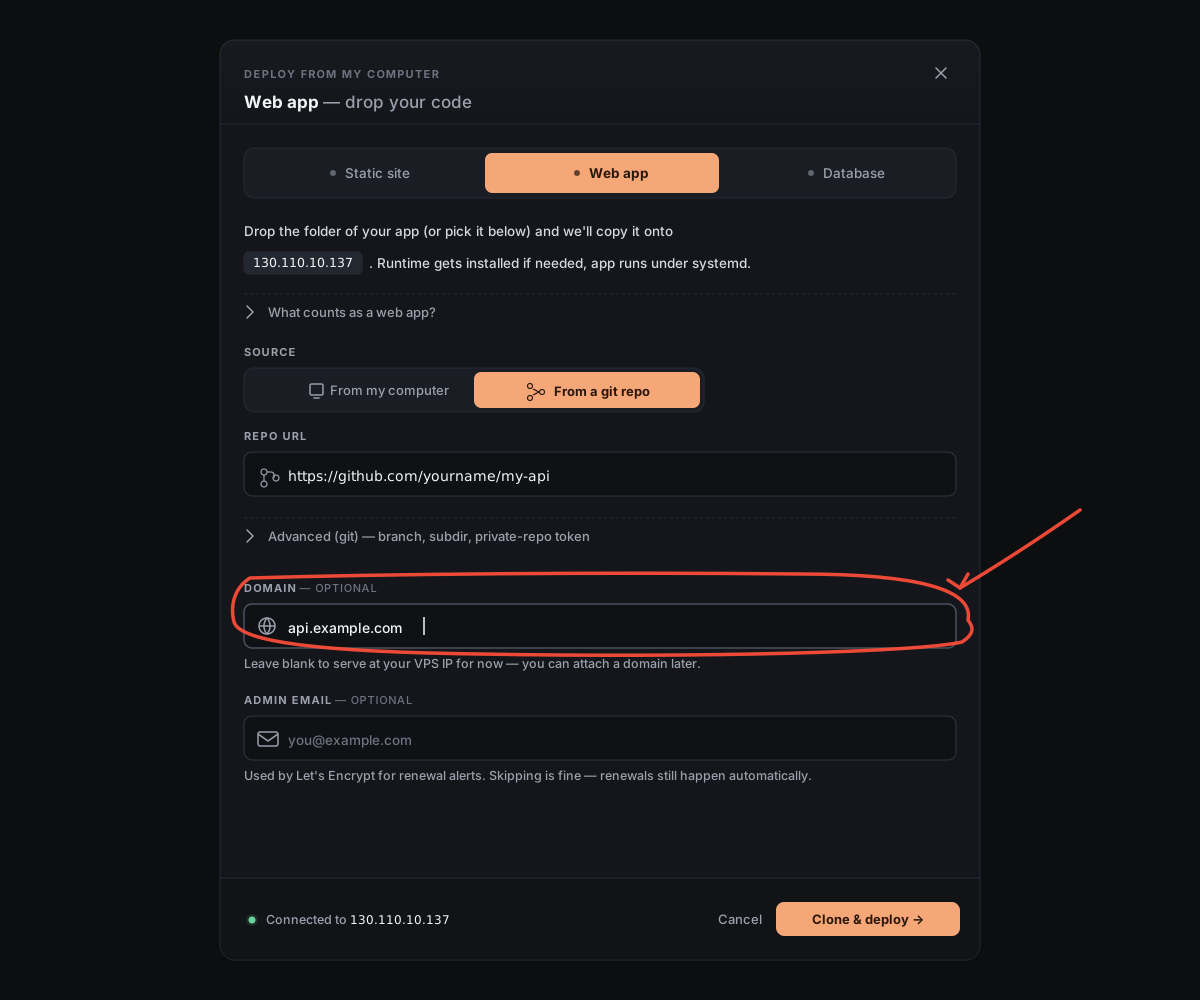
4. Type your domain
Type the address you want the app to live at — for example, api.example.com. You can leave it blank for now and add a domain later.
5. Click "Clone & deploy"
6. Done
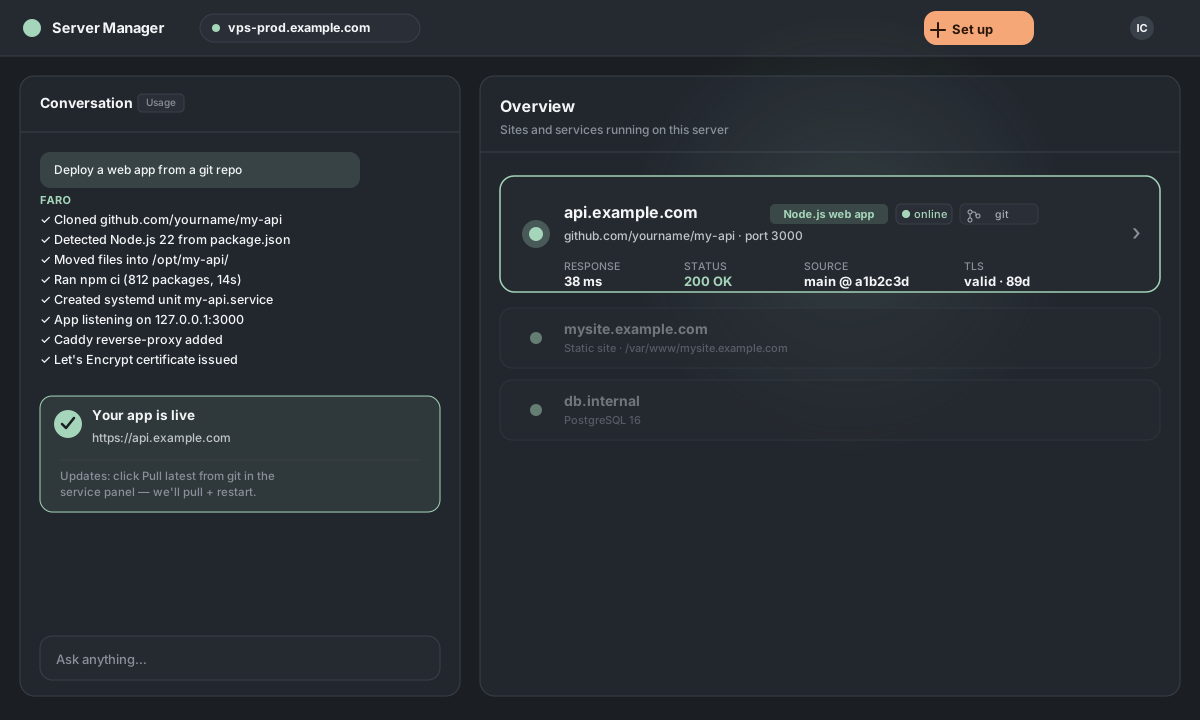
The window closes and the chat takes over. We clone your repo, install the runtime if needed, start your app under , and point at it as a . When it finishes, your app appears on the home screen with a green dot — and a **Pull latest from git** button appears in its service panel.
Updating later
Click **Pull latest from git** in the app's service panel — we'll git pull your latest commits, install any new dependencies, and restart your app. For private repos, generate a deploy key from the same panel; pulls won't ask for credentials again. The full breakdown (conflict handling, deploy keys, monorepo subdir behavior) lives in the Pull latest article.
Want to fine-tune things first?
There are two Advanced sections in the window.
Advanced (git) — branch, subdir, private repos
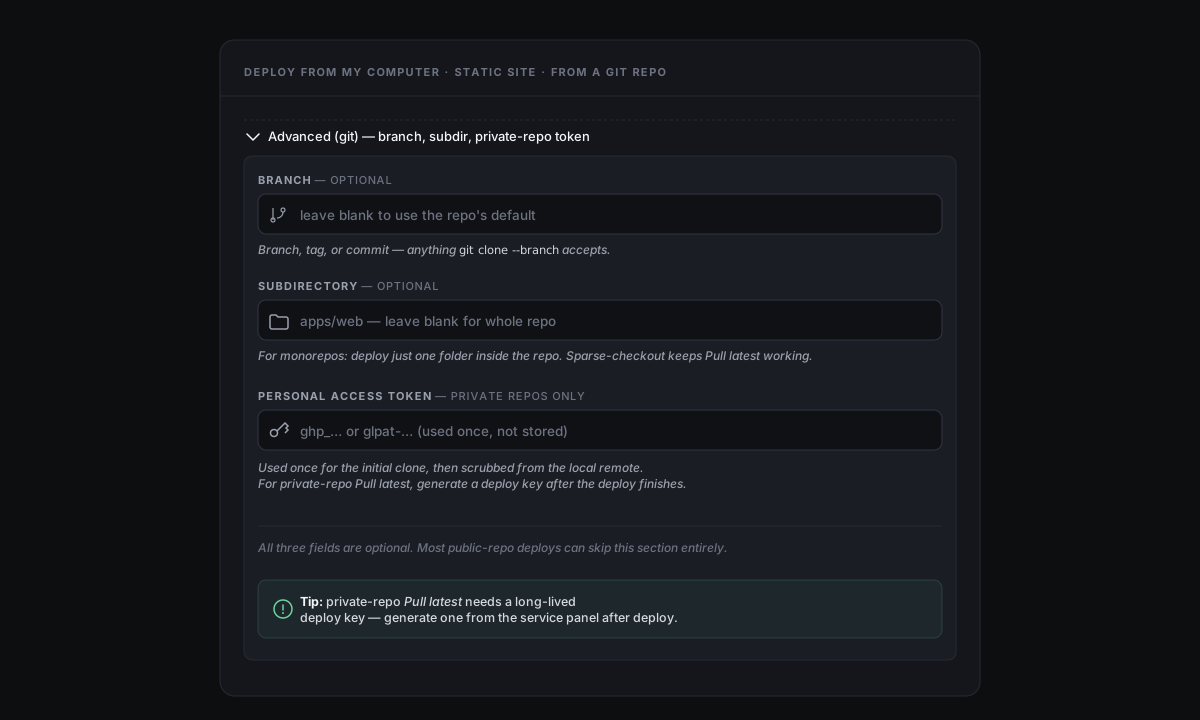
Branch. Override the default branch — anything git clone --branch accepts, including tags and commit SHAs.
Subdirectory. For monorepos: deploy just one folder inside the repo (e.g., apps/api). Sparse-checkout keeps Pull latest working.
Personal access token. For private repos — used once for the initial clone, then scrubbed. For long-lived pulls, generate a **deploy key** after deploy.
Advanced — runtime, deploy mode, app name, port
The runtime fields work the same way as when deploying from your computer — runtime override, Native vs Container, app name, port, start command, and environment variables. See Deploy a web app from your computer for the breakdown, and Native vs Container for the deploy-mode trade-off in depth.